myEquifax
- 4.6
- Rating
- 500.00K
- Installs
- Free
- Price

 Analysis by App-foxy
I found myEquifax most useful as a focused companion for people who want to begin paying attention to their credit rather than treating it as something they only remember when applying for a loan or card. It is a finance app from Equifax Incorporated, and its purpose is clear from the moment you open it: help you start a more informed credit routine.
The important point is that this is not an all-purpose banking replacement. I would not use it to replace my bank’s app, manage everyday spending, or organize a complete household budget. I see it instead as a credit-centered tool that can sit alongside those services. That distinction matters, because the app’s value comes from helping you pay attention to one specific part of your financial life.
It is free to download, which makes trying it relatively easy for someone who is curious about credit but does not want to commit money before understanding the experience. The app is rated for Everyone, runs on Android from version 8.0 onward, and its current version is 1.6.0. Those details make it accessible to a broad range of Android users, including people with older devices.
You May Also Like

 Blood Strike: 2.5 Anniversary
Blood Strike’s Loadouts Turn Every Drop Into a Tactical Gamble
A close look at Blood Strike’s custom loadouts: how fast access to signature weapons reshapes its battle royale rhythm, rewards preparation, and narrows the gap between fights.

 Pandora - Music & Podcasts
Pandora’s Music Is Easy to Start, but Harder to Recover
Pandora’s strength is its low-effort path from a seed to a station. Its weak spot is how much confidence it asks you to place in connection, setup, and quiet recovery.

 8 Ball Pool
 Is Built on Rivalries, Rematches, and Routine
A close look at the rivalries, rematches, shared routines, and unanswered safety questions that turn a quick pool match into a persistent mobile community.

 Samsung Music
’s Quiet Strength Is Playing What You Already Own
Its reach comes less from spectacle than from dependable access to a personal library. That simplicity is both the app’s strongest retention engine and its ceiling.

 AccuWeather: Weather Radar
AccuWeather Review: A Quick, Clear Forecast for Everyday Decisions
For everyday plans, the best forecast is the one you can understand quickly. AccuWeather makes rain timing, radar, and local conditions easy to act on, with a few trade-offs.

 Hill Climb Racing
Why Hill Climb Racing Still Turns Crashes Into One More Run
A tiny car, a bumpy hill and one more upgrade: Hill Climb Racing keeps resurfacing because its simple chaos makes every near-miss feel personal.
More From Our News Desk



What myEquifax is really useful for
My first impression was that the app works best when I treat it as a starting point, not as a complete financial command center. The store summary describes it as a way to start your credit journey, and that framing is more accurate than expecting a full suite of money-management tools.
For a newcomer, the biggest advantage is psychological. Credit can feel abstract when it is discussed only in terms of reports, scores, applications, and repayment history. A dedicated app gives that subject a place in your regular phone routine. Even opening it occasionally can be more productive than ignoring credit until a major purchase is already on the horizon.
I also appreciate that the developer is Equifax Incorporated. That does not automatically make every interaction perfect, but it gives the app a direct connection to a company known for credit information. For someone who specifically wants an Equifax-oriented view, using the official app is more sensible than relying on an unrelated app that merely offers general credit education.
The app has attracted a 4.6 average from around 4.2 thousand ratings, with more than 400 written reviews. It has also passed 100 thousand installs. Those figures suggest that it has found an audience, although popularity alone should not decide whether it belongs on your phone. The more useful question is whether you need a simple credit-focused checkpoint or a broader personal-finance platform.
How I would use it in everyday life
A realistic use case is preparing for a future application. Imagine that I am considering moving to a new apartment, applying for a card, or planning a vehicle purchase several months from now. Instead of waiting until the application matters, I can use a credit app as part of a preparation routine. I would check in, note anything that looks unfamiliar, and give myself time to investigate before an important deadline.
That time buffer is the real benefit. Credit-related surprises are much harder to deal with when they appear during an application process. A calm review earlier gives me a chance to recognize an account, question an item, or simply understand my position before someone else is evaluating it.
I would not open the app every time I buy groceries or pay a utility bill. That would turn a useful check into unnecessary screen time. A better workflow is to use it at meaningful moments: before a major application, after changing financial habits, or when I want to build a regular awareness of my credit situation.
Another practical use is teaching yourself the difference between financial activity and credit activity. A bank balance can look healthy while credit still needs attention, and a credit-focused app encourages a separate mental checklist. That is especially helpful for younger adults who are beginning to build a financial history and may not yet know which questions to ask.
What the free price means for its value
The app is free, so there is no purchase decision to make before trying it. That makes the value calculation straightforward: the main cost is your time and attention rather than an upfront payment. I consider that a strong advantage for beginners, because they can decide whether the app fits their routine without paying for access first.
Free access does not mean every possible credit-related service should be assumed to be included. I would judge the app by the credit-monitoring or credit-journey tasks it actually lets me perform, rather than expecting premium financial planning, banking, or personalized professional advice. The verified price tells me that downloading it costs nothing; it does not justify inventing extra capabilities around that fact.
This distinction also helps avoid a common mistake. A free app can still be poor value if it creates confusion, demands too much attention, or encourages decisions without enough context. In my view, myEquifax earns its place when it makes credit easier to understand and review. If I only want expense tracking or account balances, a free banking or budgeting app may deliver more relevant value for my particular needs.
For someone comparing it with paid financial services, I would separate the decision into two questions. First, do I need a basic credit-focused starting point? If yes, a free option is attractive. Second, do I need a wider service that combines budgeting, account aggregation, planning, and other tools? If yes, the absence of those broader functions may matter more than the zero price.
Where the experience has limits
The narrow focus is both the app’s strength and its main limitation. If I want to see spending categories, create a monthly budget, monitor investments, or move money between accounts, this is not the app I would choose. It can complement those tools, but it should not be mistaken for them.
I would also avoid treating any single credit view as the entire story of my financial health. Credit information is important, but it is only one part of a person’s situation. Income stability, savings, debt payments, and upcoming expenses still require attention elsewhere. The app can support awareness; it cannot replace a complete review of my finances.
There is also a difference between noticing something and resolving it. An app may help me become aware of a credit-related issue, but I still need to understand the details and take the appropriate next step. That could mean checking my own records, contacting the relevant organization, or seeking qualified help. I would not assume that opening the app automatically fixes an inaccurate or unfamiliar item.
This is where new users need realistic expectations. A credit app is not a shortcut to instant improvement. Building or repairing credit generally requires consistent financial behavior over time. The useful role of myEquifax is to make the subject more visible, not to promise that one tap will change the underlying situation.
I also think the app may be less appealing to experienced users who already have a carefully established credit-review system. If someone already uses a trusted service, understands their reports, and has no interest in another dedicated app, installing this one may add little. Free access removes the financial barrier, but it does not remove the possibility of duplicated effort.
Small habits that make it more useful
My first tip is to create a specific reason for each visit. Instead of opening the app passively, I would decide whether I am checking for general awareness, preparing for an application, or reviewing something that deserves attention. This prevents the experience from becoming a vague ritual and makes it easier to remember what I learned.
My second tip is to keep a separate note of questions, not just observations. If I see something I do not understand, I would write down the account name, date, or wording shown in the app before trying to solve it. That creates a clearer trail for follow-up and reduces the chance of relying on memory later.
My third tip is to use the app as an early-warning habit rather than an emergency tool. Checking before a major financial event gives me more options than checking on the day I submit an application. The app is most valuable when it helps me notice a concern while there is still time to investigate it.
A fourth useful trade-off is deciding how often to check. Too rarely, and I may miss the chance to prepare. Too often, and I may become distracted by normal changes that do not require immediate action. I would choose a schedule that matches my circumstances, with extra attention before a significant credit decision.
Finally, I would compare what I see with my own financial records instead of accepting every screen as self-explanatory. A credit-focused app is easier to use when I already know the basics of my accounts and payment obligations. That simple preparation makes the information more meaningful and helps separate a genuine question from ordinary unfamiliar wording.
Who is likely to get the most value
I think myEquifax is a good fit for someone taking their first serious steps into credit awareness. That includes a young adult learning how credit works, a person preparing for a future application, or anyone who has realized that ignoring credit is no longer practical. The free price lowers the risk of experimenting, while the focused purpose keeps the starting point manageable.
It may also suit people who prefer a dedicated app instead of burying credit information inside a larger financial platform. Some users want one place for banking, another for budgeting, and a separate place for credit. That arrangement can be easier to understand than a crowded app that tries to do everything at once.
People who already use other financial tools can still find a role for it, but only if the Equifax connection is relevant to them. I would not install it merely because it is popular. I would install it because I want a direct, credit-specific checkpoint and am comfortable maintaining it alongside my other money apps.
On the other hand, I would skip it if my main goal is household budgeting, bill scheduling, investment tracking, or day-to-day banking. A budgeting app is better for categorizing purchases and controlling monthly spending. A bank app is better for transactions and balances. A broader financial dashboard may be preferable if I want everything combined, even if that means the credit section is less focused.
I would also skip it if I am looking for personalized debt counseling or a guarantee of a better credit outcome. Those expectations go beyond what a free credit-starting app should reasonably promise. In that situation, a qualified financial counselor or a service designed specifically for debt management would be a more appropriate choice.
How it compares with familiar alternatives
Compared with a bank’s app, myEquifax has a different job. A bank application shows me money moving in and out of an account, while this app is aimed at credit awareness. Neither automatically replaces the other. If I want to know whether a payment cleared today, I would open my bank app. If I want to focus on credit as a separate area, I would turn to myEquifax.
Compared with a budgeting application, the difference is even clearer. Budgeting tools help answer, “Where did my money go?” A credit-focused tool helps answer, “What should I understand about my credit position?” Those questions are related, but they lead to different habits. I would choose based on the question I need answered most often.
Compared with a general credit app, the Equifax identity may be the deciding factor. Someone who wants a broad comparison across multiple financial services may prefer an all-in-one platform. Someone who specifically wants an official Equifax-oriented experience may find the focused approach more reassuring and less cluttered.
The trade-off is convenience versus specialization. One large finance app can reduce the number of apps I open, but it may present credit as just one tile among many. A dedicated option can make the topic harder to ignore, though it also means another app, another routine, and another place to remember when reviewing finances.
My verdict after weighing the trade-offs
MyEquifax is worth trying if I want a free, focused way to begin paying attention to credit. Its strongest quality is not that it replaces every other finance tool; it is that it gives credit its own space and encourages earlier awareness. For a beginner, that can be genuinely useful, especially before an important application.
I would keep my expectations practical. The app should support checking and understanding, not substitute for responsible payments, careful record-keeping, or professional advice when a situation becomes complicated. I would also pair it with the tool that handles my actual spending and accounts, because credit awareness alone is not a complete money plan.
The current release, version 1.6.0, is available for Android users on version 8.0 or later, and the Everyone rating makes it broadly approachable. Since access is free, I see little reason not to test it when its purpose matches your needs. The real question is whether you will use a credit-focused app consistently enough for it to become useful.
My recommendation is therefore selective rather than universal: try it when starting a credit routine, skip it when you need a full financial dashboard. It delivers the most value to people who want a clear first step and a dedicated place to review credit. For me, that focused role is its best argument—and also the clearest reminder of where its boundaries are.
FAQs for myEquifax
01What is myEquifax, and what features does it offer?
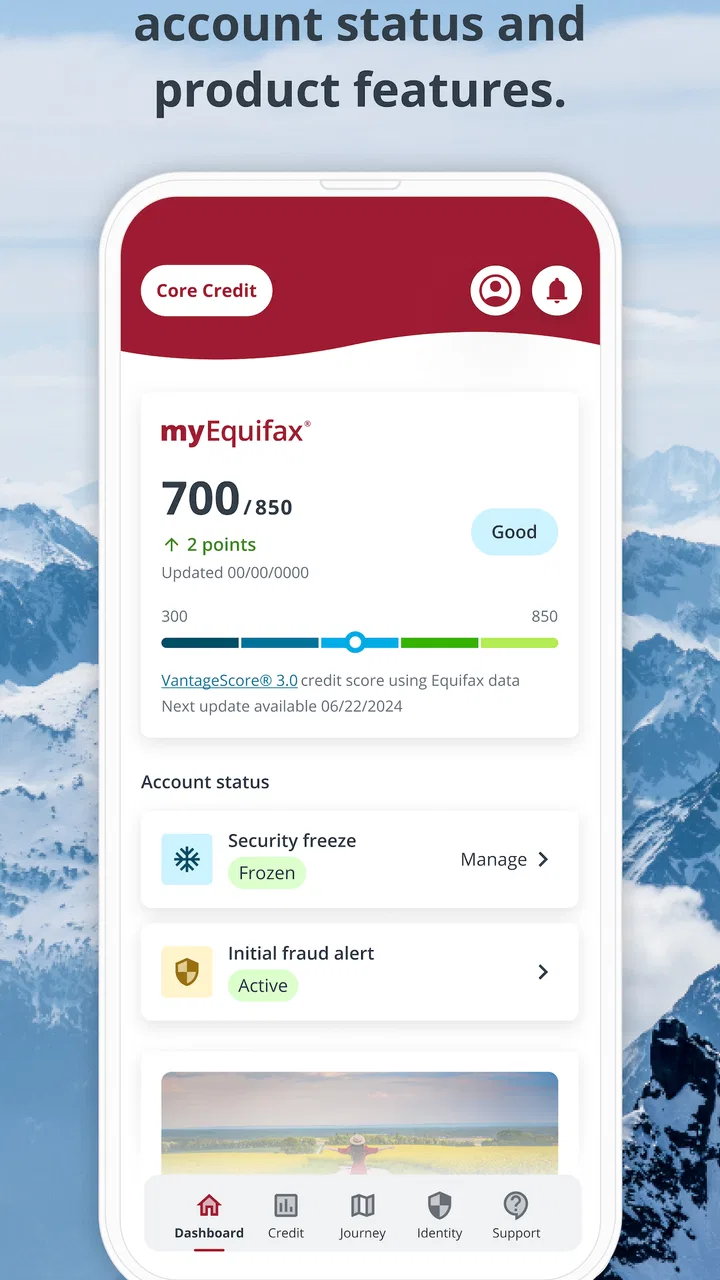
myEquifax is a comprehensive tool for managing your credit profile. It allows you to access your Equifax credit report, place a security freeze, and manage alerts. The app offers features like credit monitoring, dispute resolution for incorrect information, and helpful resources to improve your credit health.
02How secure is the myEquifax app for handling my personal information?
Security is a top priority for myEquifax. The app uses advanced encryption technology to protect your personal and financial information. It also requires multi-factor authentication to access sensitive data, ensuring an additional layer of security. Regular updates and compliance with industry standards further safeguard your information.
03Is there a cost associated with using myEquifax, and are there any subscription options?
myEquifax offers both free and premium services. Accessing your Equifax credit report annually is free, but additional features like continuous credit monitoring might require a subscription. The app provides various plans to suit different needs, with transparent pricing and the option to cancel at any time.
04Can I dispute errors on my credit report using myEquifax?
Yes, myEquifax allows you to dispute inaccuracies directly through the app. The process is streamlined, and you can track the status of your dispute in real-time. By providing a user-friendly interface, myEquifax ensures that correcting errors is straightforward and efficient, helping maintain an accurate credit profile.
05What are the system requirements for installing myEquifax on mobile devices?
To install myEquifax, your device must meet specific requirements. For Android users, the app requires version 7.0 (Nougat) or higher. iOS users need version 11.0 or later. Sufficient storage space and a stable internet connection are also necessary to ensure smooth operation and access to all features.
Pros
- User-friendly interface for easy navigation.
- Free credit report available annually.
- Real-time credit alerts enhance security.
- Comprehensive credit monitoring features.
- Simple process for disputing errors.
Cons
- Limited free features after initial report.
- Occasional delays in report updates.
- No identity theft insurance included.
- Some features require premium upgrade.
- Mobile app lacks advanced customization.

myEquifax
Gallery